|
Export Deployment Plan
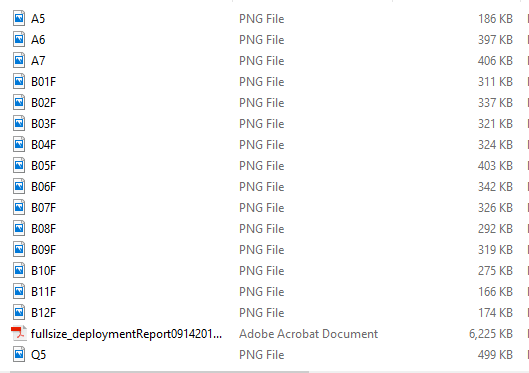
Export Deployment Plan Report will create a zip file that includes not only a deployment report in pdf format, but also AP placement in individual full sized floor map image files without comprised resolutions which is particularly useful in deploying a WLAN with the deployment plan.
Go to Top Menu, Planner-->Export Deployment Plan for a dialog for the configuration of the deployment plan report.
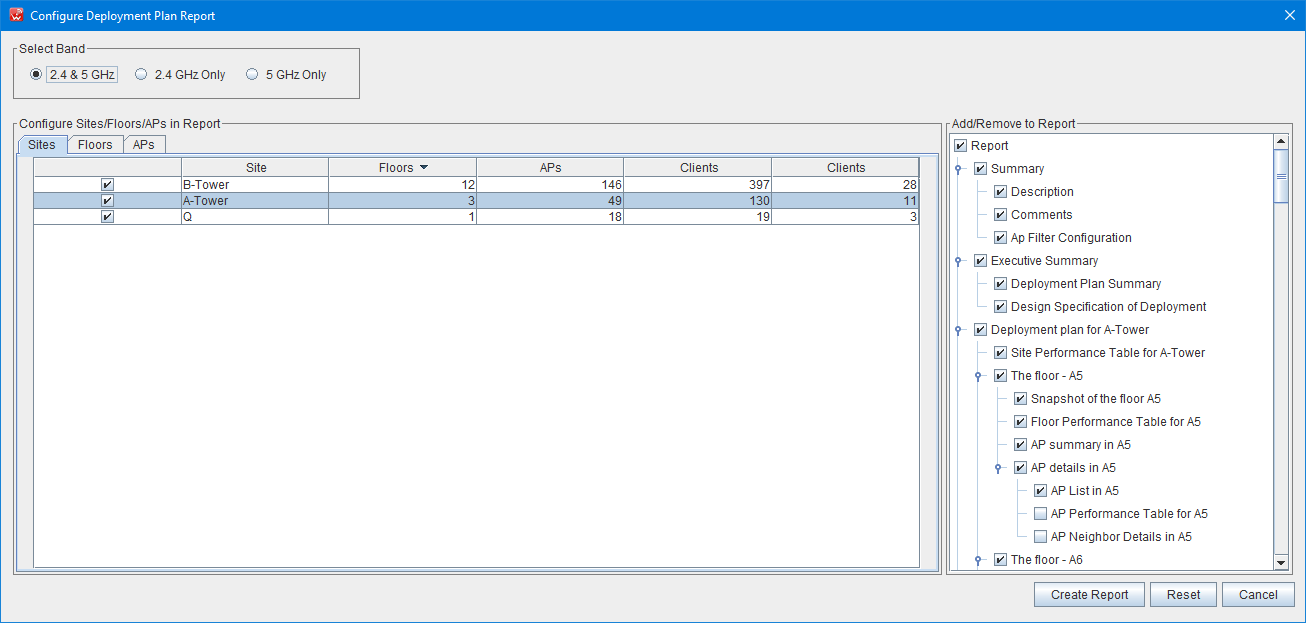
You can customize a report in great details. You can select bands, sites, floors and APs in your deployment plan for the report. You can filter the built-in chapters and sections based on your needs using the tree for chapters and sections at the right side.
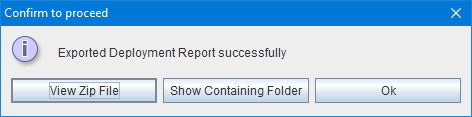
Click on “Create Report” button, a popup windows will ask you for the folder and the file name to save the report. After the report is created successfully, a zip file for the report package will be created, and the message dialog will pop up for viewing the file. The zip file contains a PDF file for the report, and full size image files for each floor with APs deployed in the floor maps.
The sample file list for the zip file
WiFi design requirement and Performance table in the report.
A requirement table
This table shows all requirements of design spec, and the APs that meet the requirements, and the APs that do not meet the requirements.
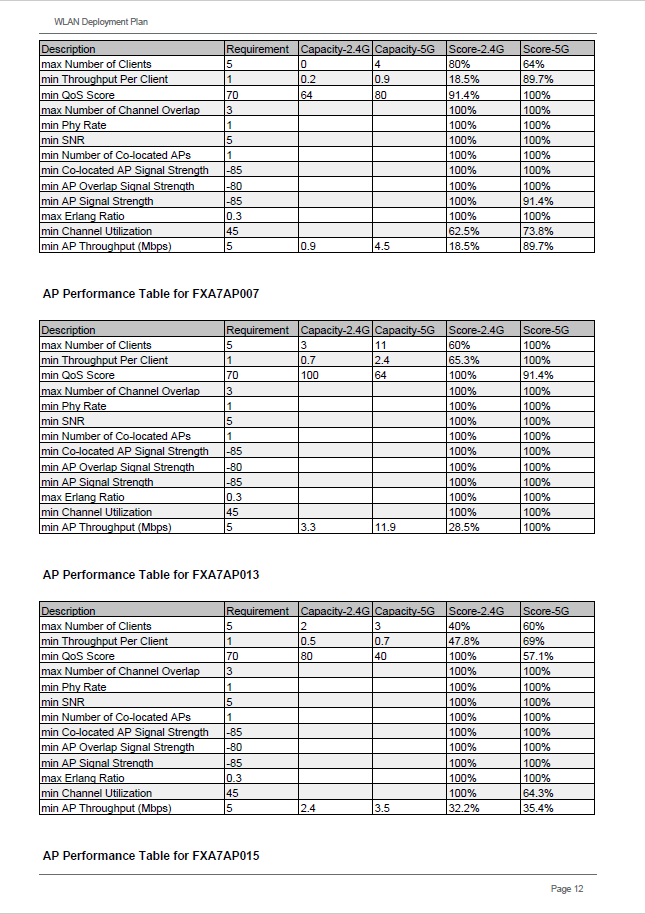
A site/floor/AP performance table
The performance tables tell you the details about the performance of the WLAN in the deployment plan.
Sample of the deployment plan report
The table of Content for the report
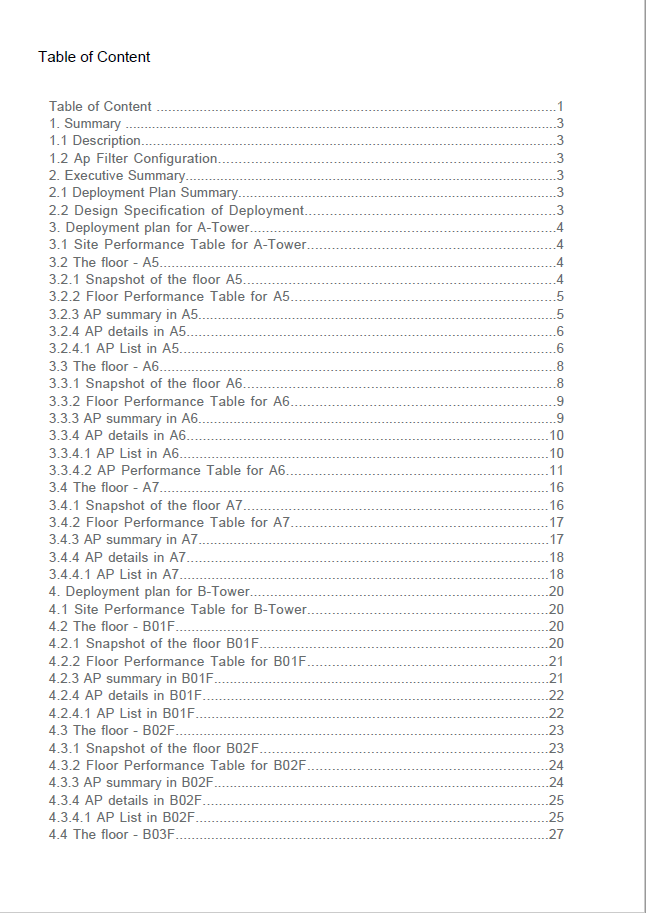
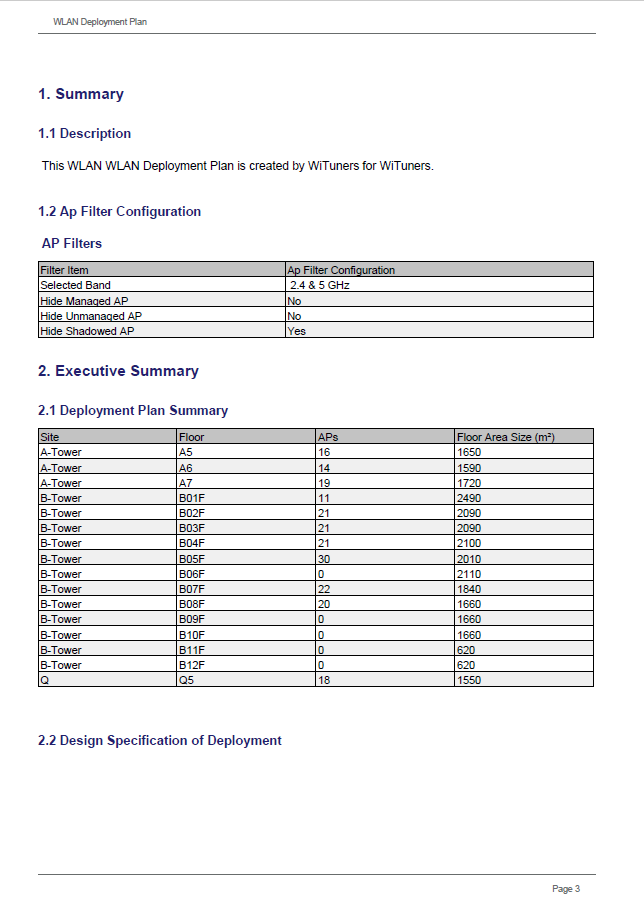
Summary of the report
Design Requirement table and Site Performance Table
y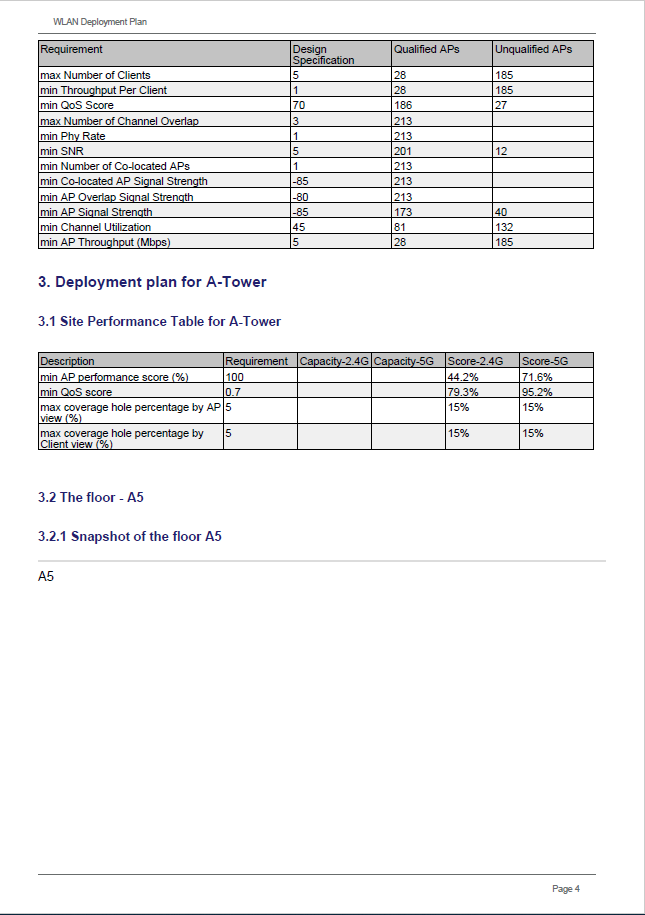
AP Performance Table
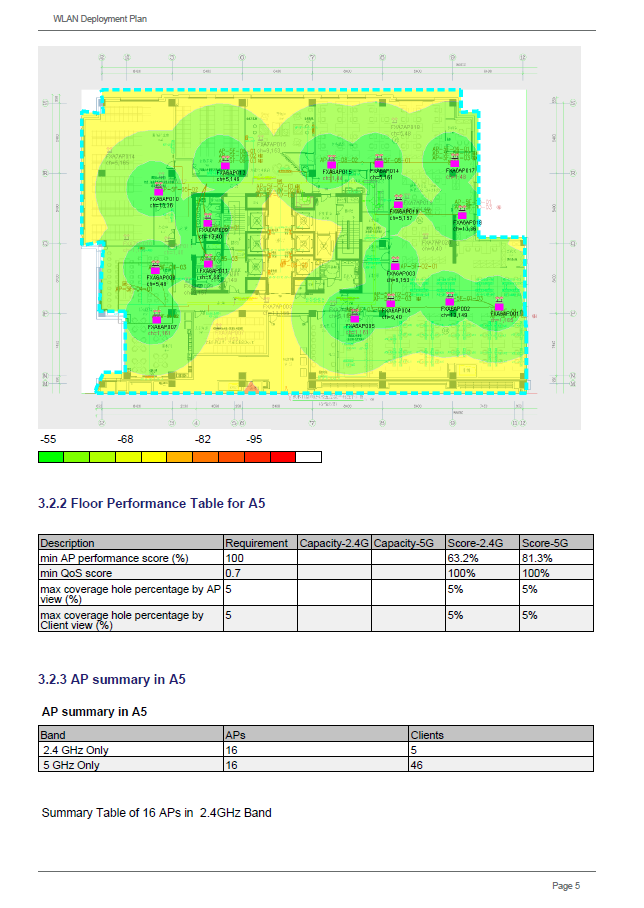
AP deployment of Floor with the throughput heat map on.
|